A memorial card that people keep on their phone
Candela makes a memorial page for the person you lost, and a memorial card that anyone can add to Apple Wallet on an iPhone or Google Wallet on an Android phone. The card shows a photo of them, their name, and the time and place of the visitation and the funeral. On an iPhone, everyone who has the card sees it on their lock screen on the day of the services, with the time and the place, so they know how to pay their respects.
Start with the name everyone knew them by.
Type the name their family and friends called them. That is all you need to publish the memorial page. You can add their full name, their dates, and their story later, whenever you are ready. When you save the memorial, you enter your email address so you can come back to it.
Add a photo of them, if you have one.
The photo you choose is used on the memorial page and on the card. If you do not have one close at hand, you can skip this step and add a photo later.
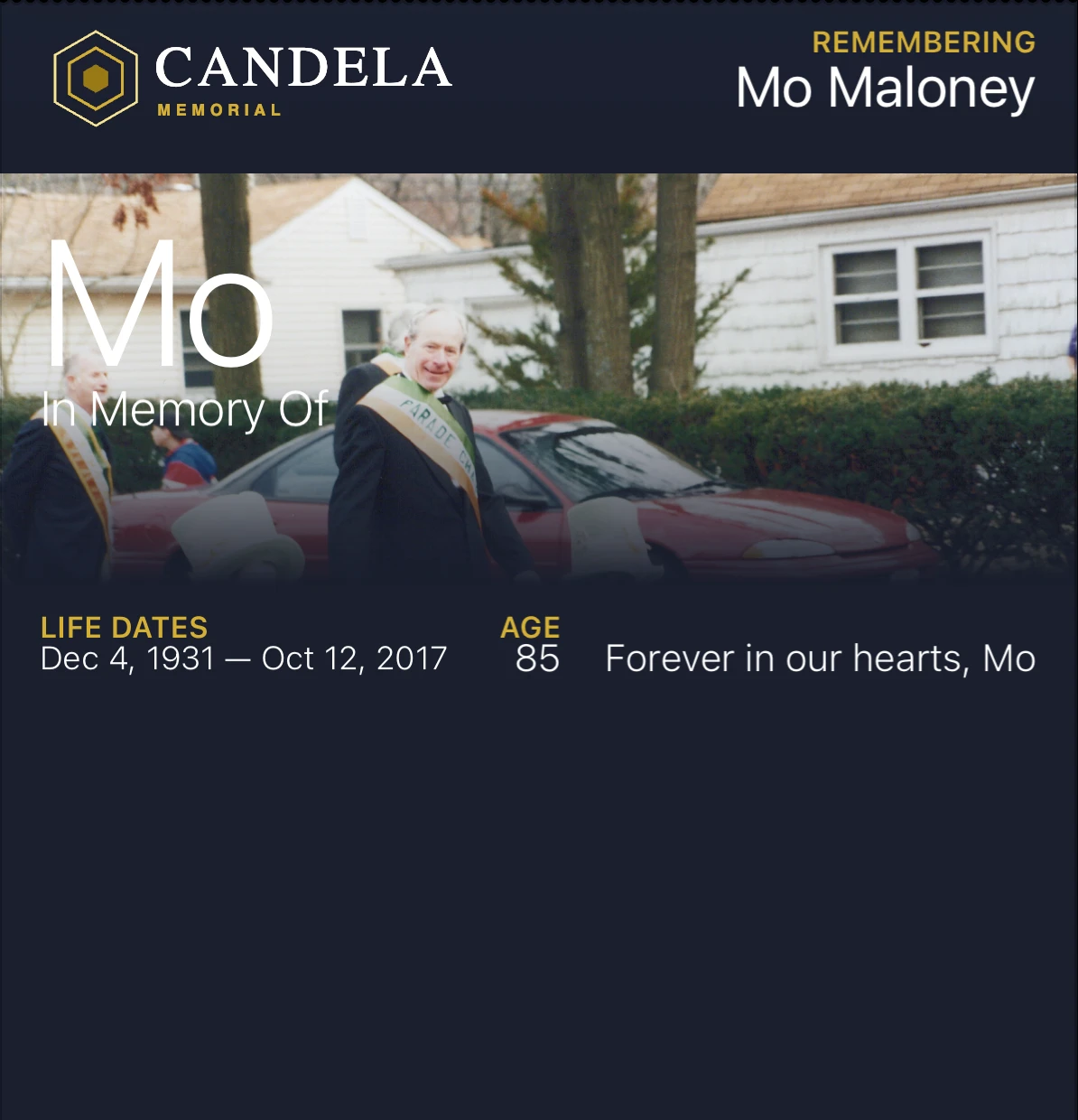
Add the day, the time, and the place of the visitation and the funeral.
On the evening of Mo’s visitation, his card shows Visitation, tonight, 6:00 PM, St. Patrick’s Cathedral, and on an iPhone it appears on the lock screen. Enter the visitation, the funeral, a wake, the burial, or a celebration of life, with the day, the time, and the place for each one. The front of the card shows the next one to come. The back of the card lists every one of them in order, with the address when you have added one.
If you change a time or a place later, the card updates on the phones of everyone who has already added it.
Visitation · Tonight
6:00 PM · St. Patrick’s Cathedral
Anyone can add the card to Apple Wallet or Google Wallet.
Send the memorial link by text message or email, or post it on Facebook. When someone opens the link on their phone, they tap Add to Apple Wallet on an iPhone, or Add to Google Wallet on an Android phone. They do not need to download an app, and they do not need to create an account.
On an iPhone, the card appears on the lock screen, with the time and the place.
On an iPhone, Apple Wallet shows the card on the lock screen on the day of the visitation or the funeral. The notification says what it is and where, for example “Visitation for Mo at St. Patrick’s Cathedral”, with the time underneath. Tapping it opens the card.
On an Android phone, the card in Google Wallet shows the same time and place, and it updates when the family makes a change. The notification on the lock screen on the day is an Apple Wallet feature.
The card stays on everyone’s phone.
When the services are over, people keep the card in their wallet. If their date of birth and the date they died are on the memorial, the card also appears on the lock screen of an iPhone on their birthday and on the anniversary of the day they died.
When someone is cremated, there may be no grave to visit. The places you add to their card, like the beach where the ashes were scattered, the church, or their favorite diner, become the places where people remember them. On an iPhone, when someone with the card is near one of these places, the card appears on their lock screen.
The memorial page and the card are free.
The free memorial includes the card, the time and place of the services, up to 20 photos, 1 place, 1 date you choose, and 1 card design. For $99, paid once, the memorial holds 200 photos, 10 places, 10 dates, and 3 card designs. Their birthday and the anniversary of the day they died are included on every memorial and do not count toward those dates. On the free memorial and on the $99 memorial, everyone can add the card to their phone.
Funeral homes can make memorials and cards for the families they serve. Read how Candela works for funeral homes.